VibroSomatics presents
A quiet space for your frequencies.
VibroFlō layers tones, moving sound and gentle light into sessions you shape yourself. Press start, close your eyes, and let the room fall away.
The app
Not a playlist. A studio for how you want to feel.
Most sound apps hand you a track. VibroFlō hands you the instruments: binaural and isochronic tones, music, ambient worlds, moving sound and light, all on one timeline that you draw.
Session Arc
Draw the whole journey.
Sketch a session as a curve: where it starts, where it climbs, where it lets go. Hit preview and watch (and hear) the arc play out in seconds before you commit twenty minutes.
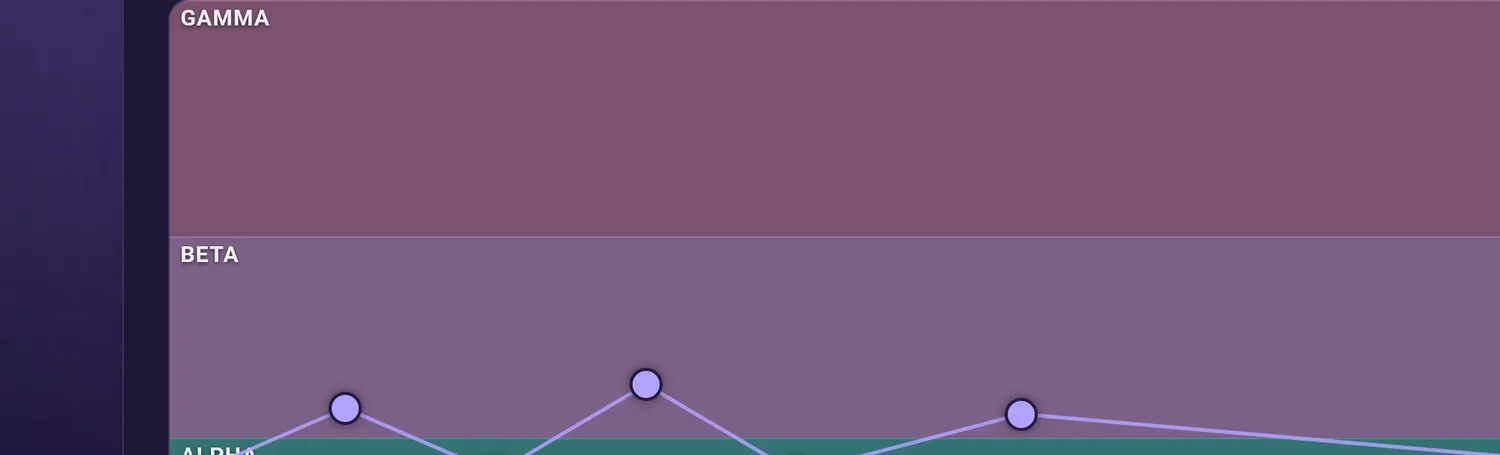
- Drag points across delta, theta, alpha, beta and gamma
- Preview with sound and light at fast-forward
- Save it, name it, come back to it
Sound Motion
Sound that moves around you.
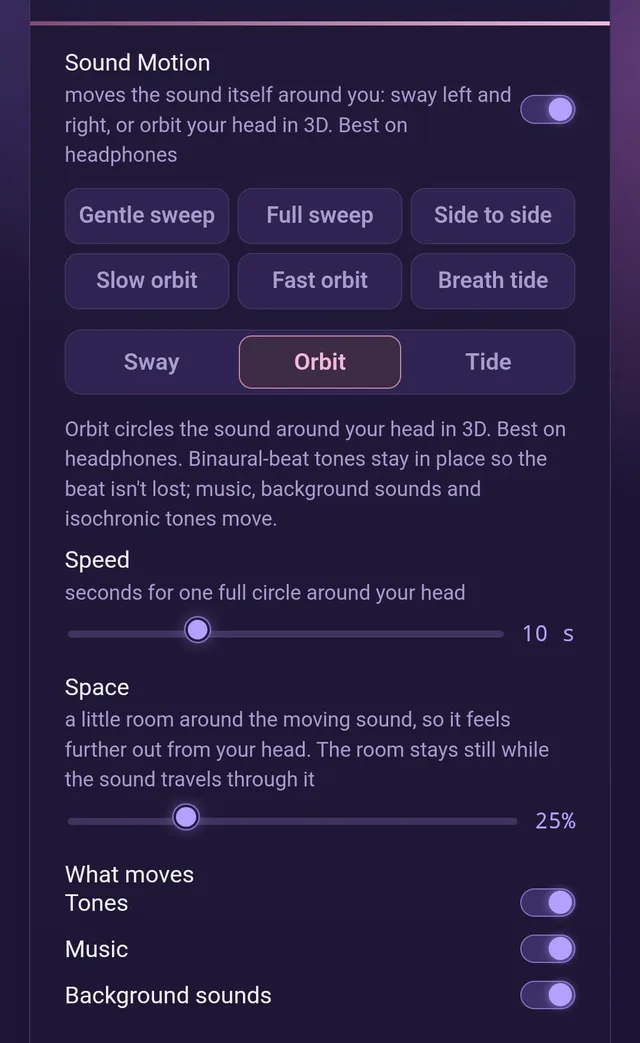
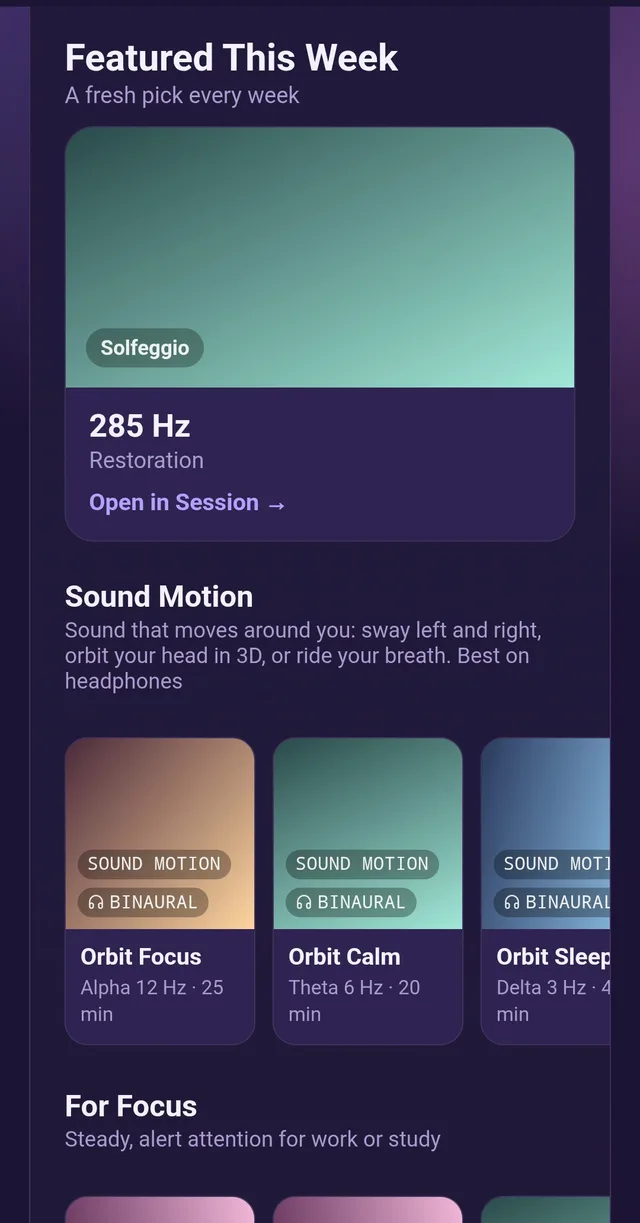
Sway left and right, orbit your head in three dimensions, or let the sound rise and fall with your breath. Put on headphones and the room gets bigger.
- Sway, Orbit and Tide, each with speed and space controls
- Choose what travels: tones, music, background sounds
- Binaural beats stay put so the effect isn't lost
Light
Eyes closed, still glowing.
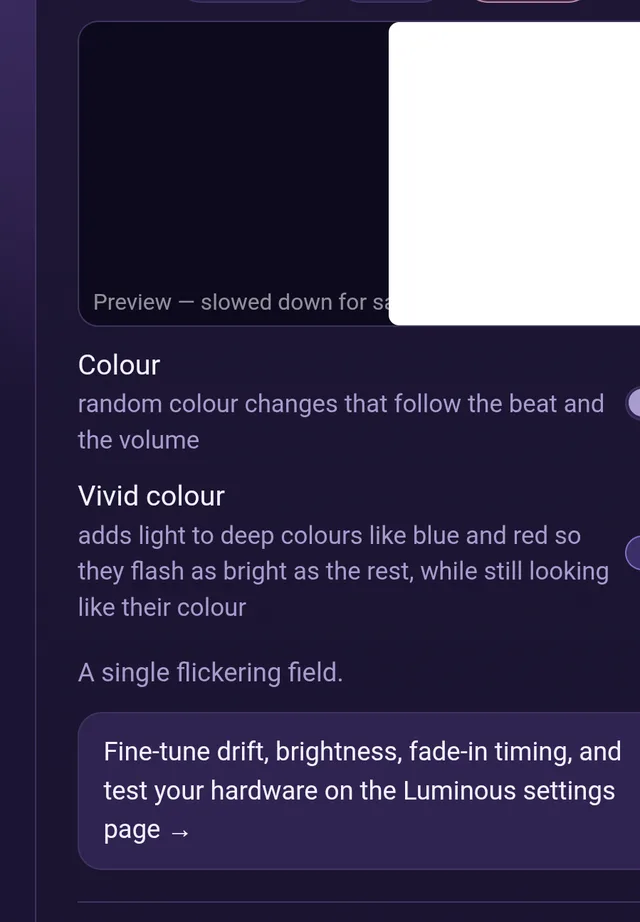
Rhythmic light that follows the sound, shown on your screen and tuned to the beat. Pick colour, keep it vivid, and let it pulse through your eyelids. Compatible with light hardware, too.
- Left and right eye views, previewed live
- Colour that follows the beat and the volume
- AudioStrobe sync for compatible light glasses
Mastering & Worlds
Polished like a studio, soft like a forest.
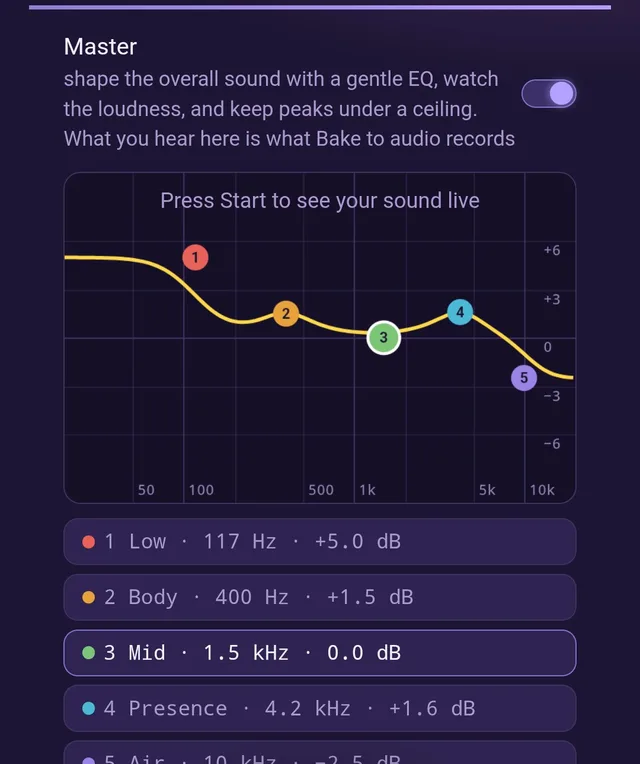
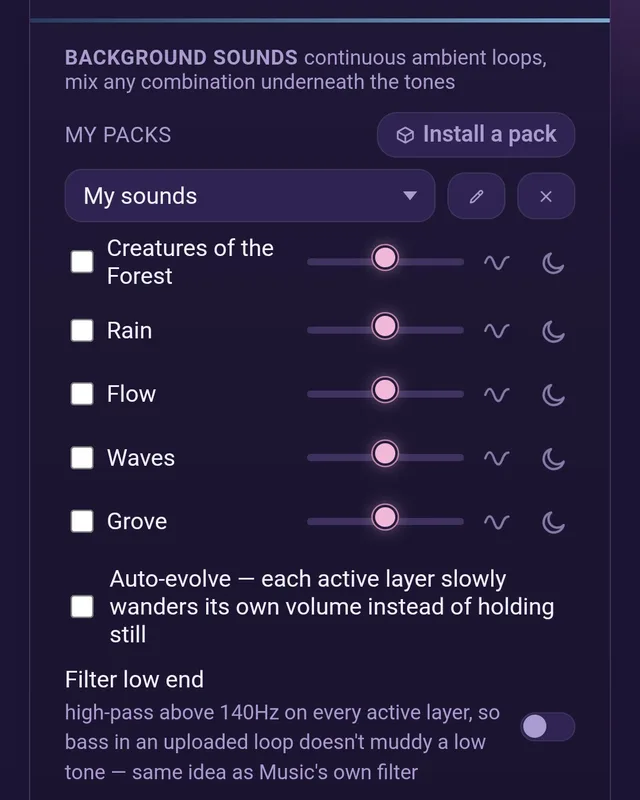
A five-band master EQ, loudness metering and peak limiter keep everything smooth. Then lay ambient worlds underneath: rain, flowing water, waves, a grove at dusk, or your own recordings.
- Gentle EQ you can see and drag
- Mix any combination of background sounds
- Install packs, or bring your own loops
Start from somewhere
Or take a ready-made session.
A fresh featured pick every week, plus collections for focus, calm and sleep. Open one, tweak it, make it yours.
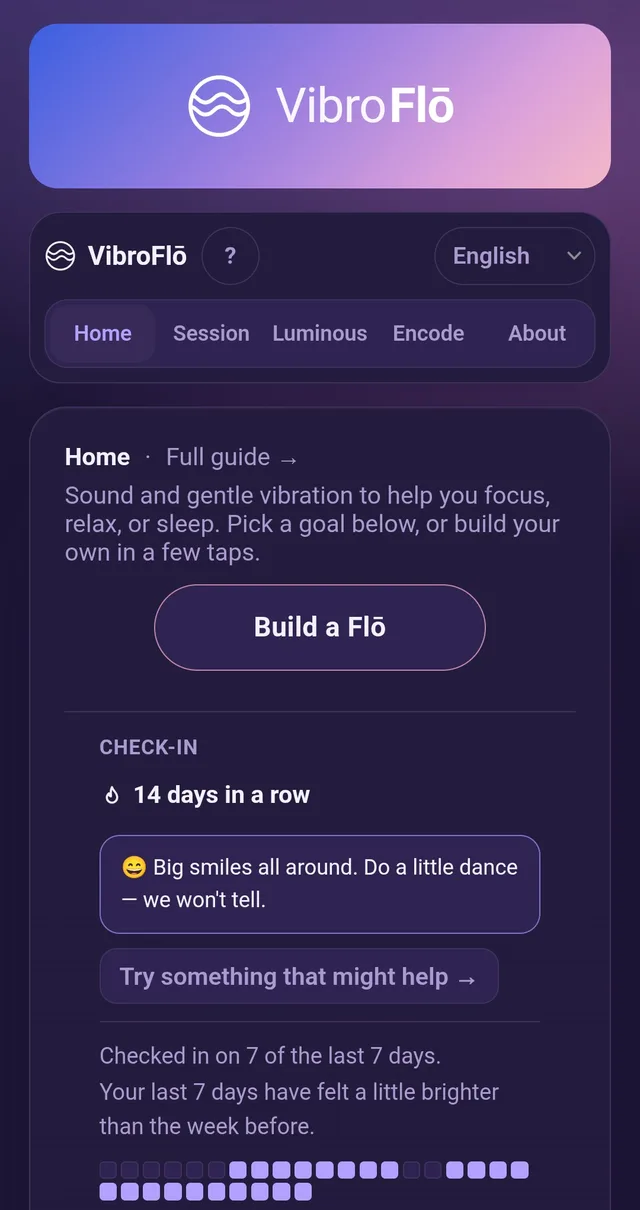
Opens in your browser. Add it to your home screen and it behaves like an app.
Listen with your whole body.
Vibroacoustic tables let sound be felt as gentle vibration, not just heard. We're designing a home-sized table made to pair with VibroFlō: low, quiet, and built for lying back and letting go.
Be the first to hear when it's ready.
For creators & tinkerers
VibroEncode. Your music, in step with your light.
Turn any audio file into a pulse-ready track. VibroEncode embeds an inaudible AudioStrobe signal in your music so compatible light hardware flashes in time with it, without changing how it sounds.
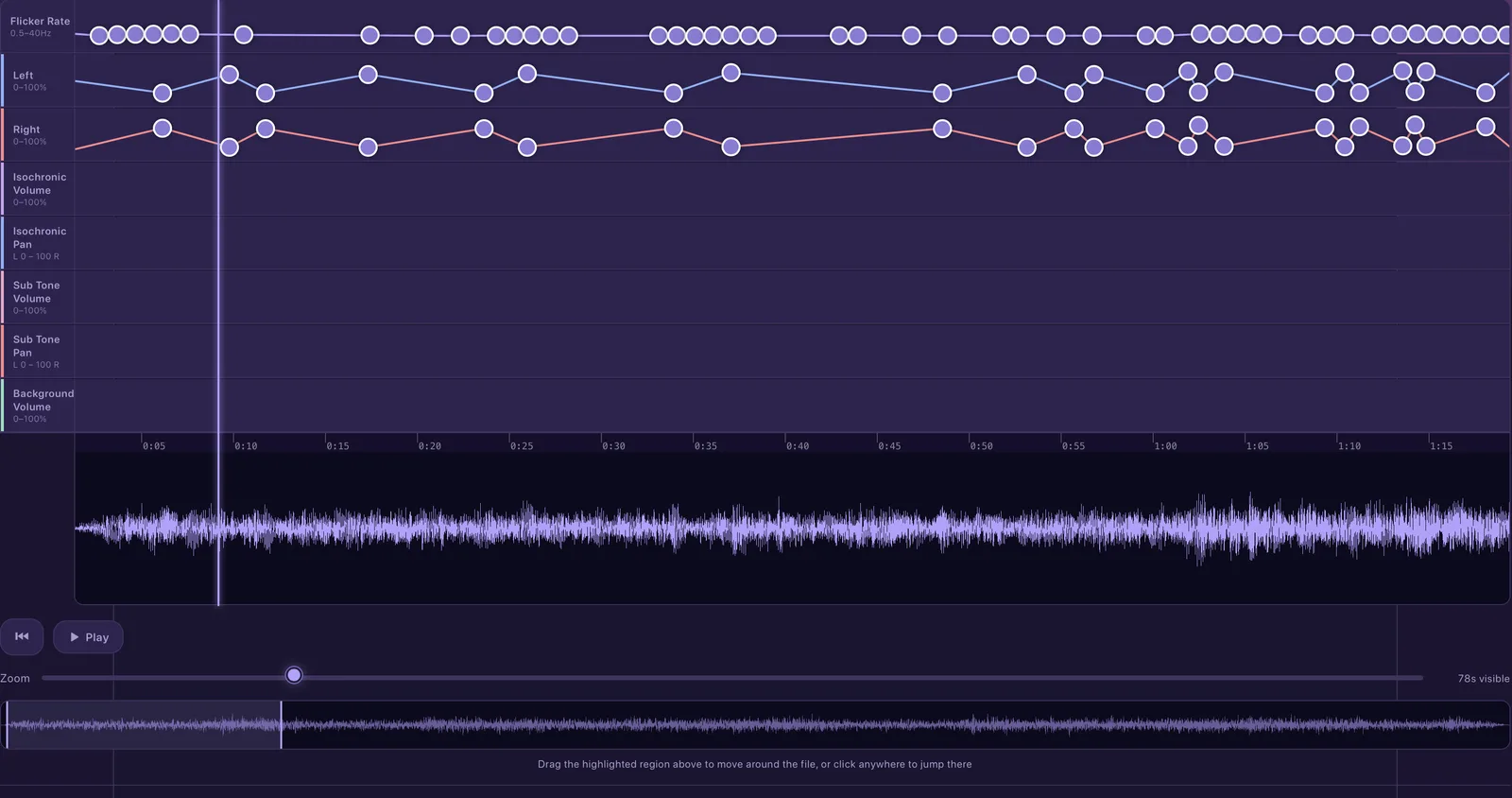
The timeline
Every lane, one view.
Flicker rate, left and right eye brightness, tone volume and pan, and background levels all sit on one timeline over your track's waveform. Drag dots, zoom in, loop a section, and hear every change as you make it.
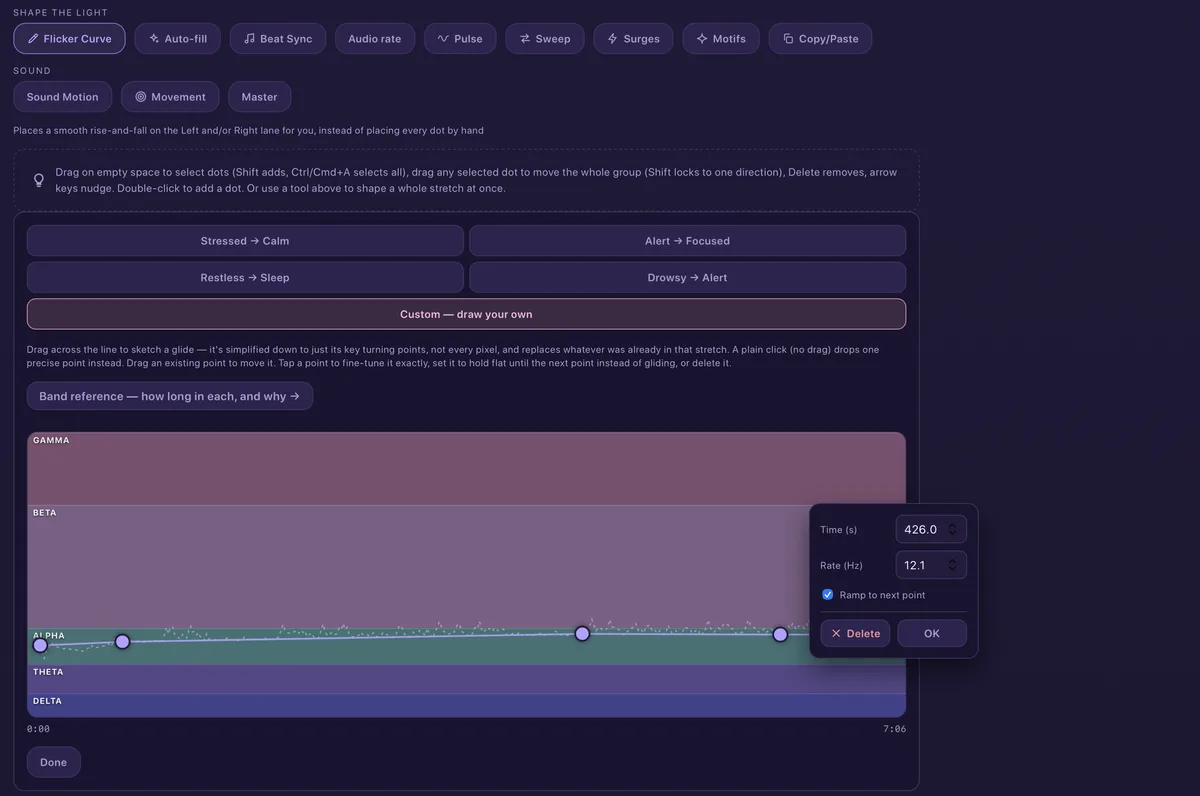
Shape the light
Draw it, or let the tools do it.
Sketch a flicker curve across the bands by hand, or start from a ready-made glide. Auto-fill, Beat Sync, Pulse, Sweep, Surges and Motifs place whole stretches for you.
- Ready-made glides, or draw your own
- Tap any point to set its time and rate exactly
- Copy, paste and repeat what works
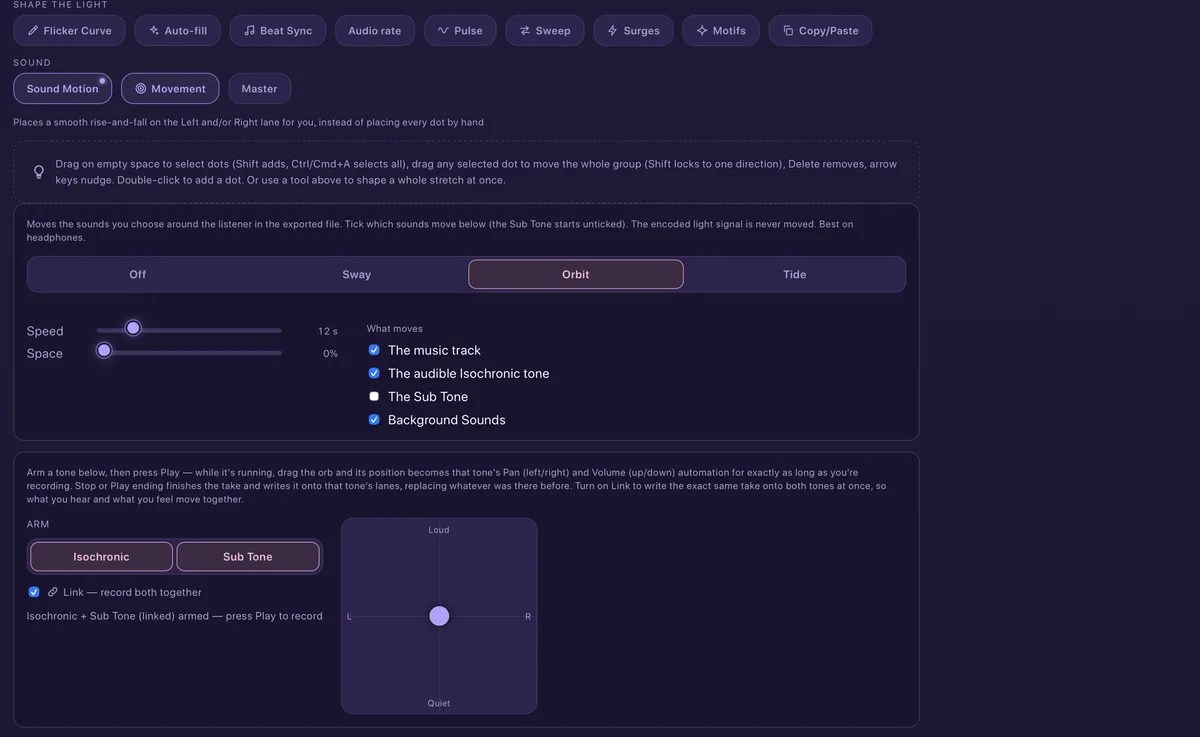
Move the sound
Sway, Orbit and Tide.
Move your music, tones and background sounds around the listener, or record the movement yourself by dragging an orb while the track plays. The encoded light signal is never moved, so it stays locked to the beat.
Master it
Studio finishing, built in.
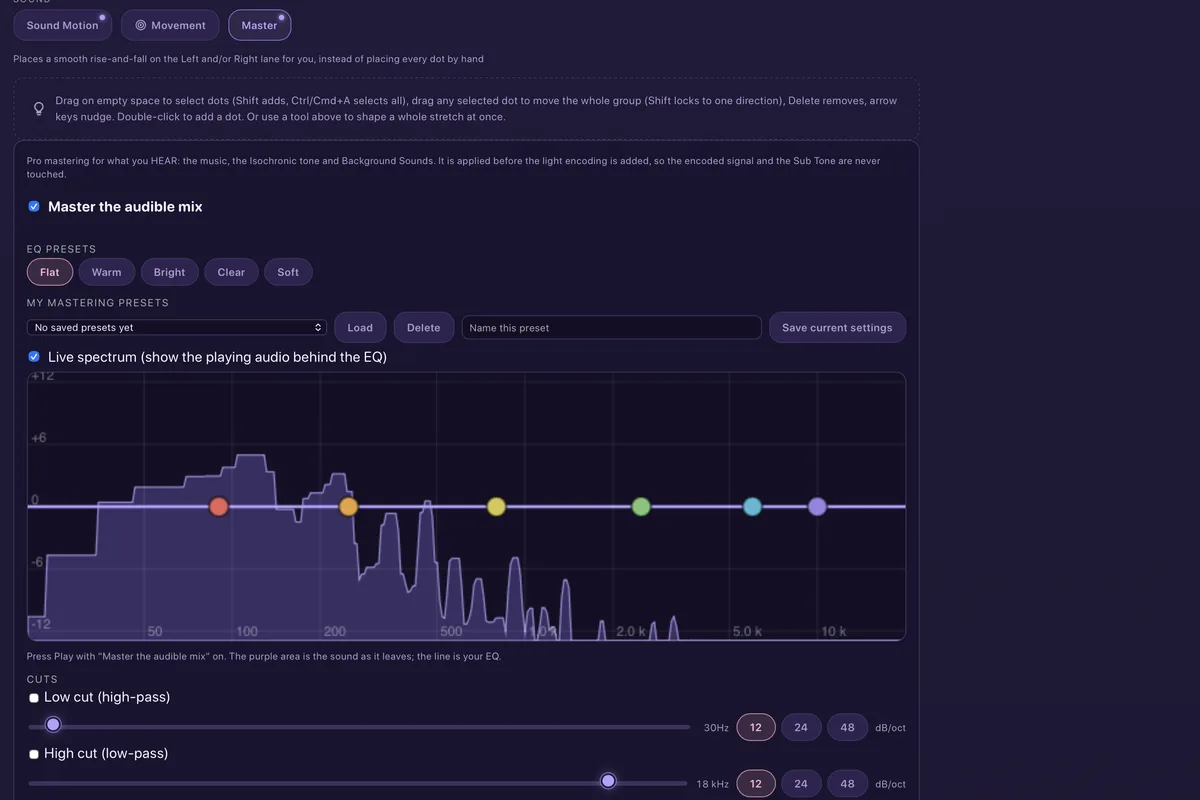
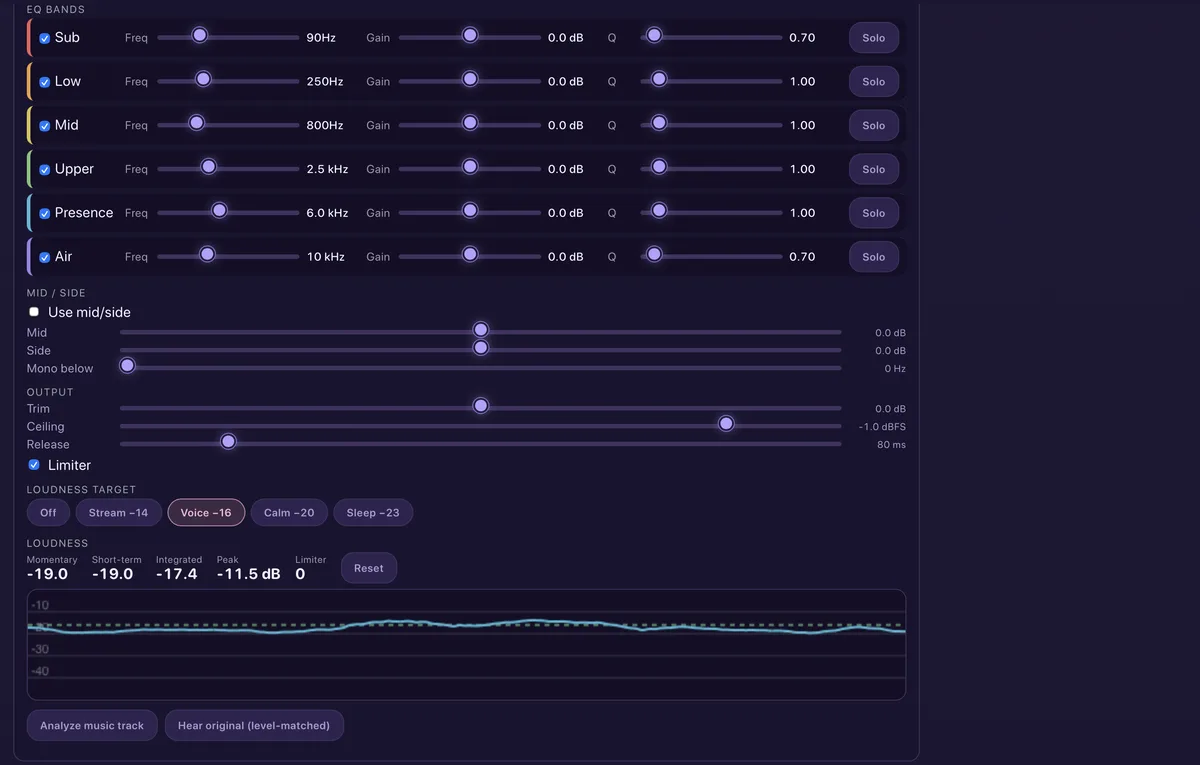
A six-band EQ over a live spectrum, low and high cuts, mid/side control, a limiter, and loudness targets with live meters. It's applied to the audible mix before the light signal is added, so the encoding is never touched.
Built for speed
Hands on the keys.
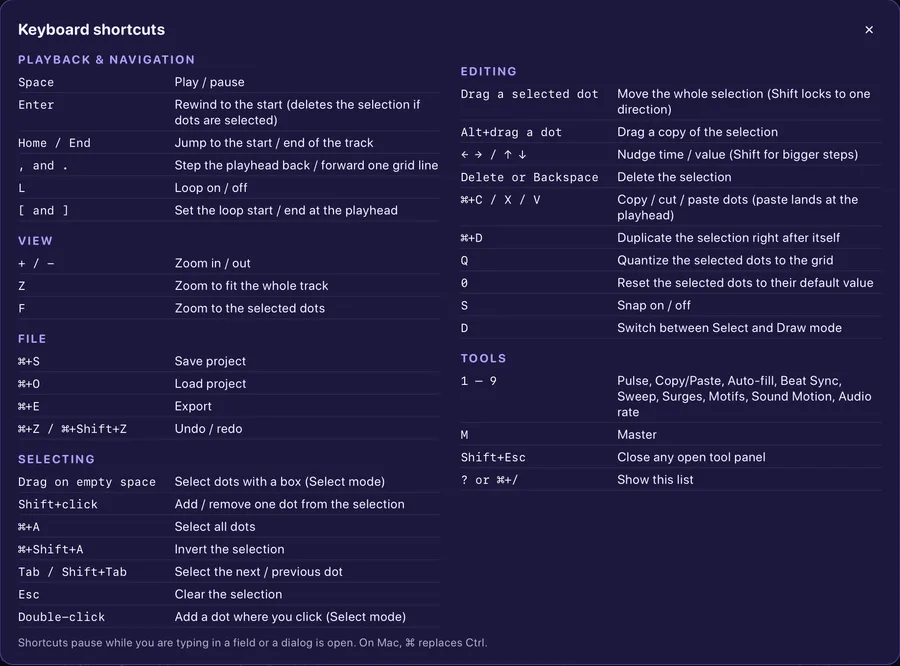
Play, loop, zoom, nudge, quantize, copy and paste, all from the keyboard, so long sessions don't mean long afternoons.
Free to start
AudioStrobe encoding, saving and testing, for files up to five minutes.
Pro
SpectraStrobe and Lumasonic, export, longer files and hardware testing.
Private
Everything happens on your device. No account, no upload.